
7-Zip, finally
at home on the Mac.
7-Mac is a native macOS app built on the real 7-Zip engine. It opens about 60 archive formats, creates 7z and zip archives and edits archives in place — no Homebrew, no separate binary, no terminal.
Not a wrapper around 7zz. The engine, built in.
Most 7-Zip front ends on the Mac run the command-line tool and parse its text output. 7-Mac builds the 7-Zip library from upstream source and calls it directly.
Passwords on the command line
Each password goes from the app to the engine through a callback. It is never written to disk and never shows up in ps.
Progress measured in bytes
Exact byte counts, throughput and ETA — not just a percentage.
Details with their real types
Sizes, dates, CRCs and POSIX attributes come from the engine as values, not parsed from text.
Nothing to install but the app
The 7-Zip engine ships inside the app as a framework: no Homebrew, separate binary or terminal needed.
Everything 7-Zip does. The way a Mac would.
Open and extract
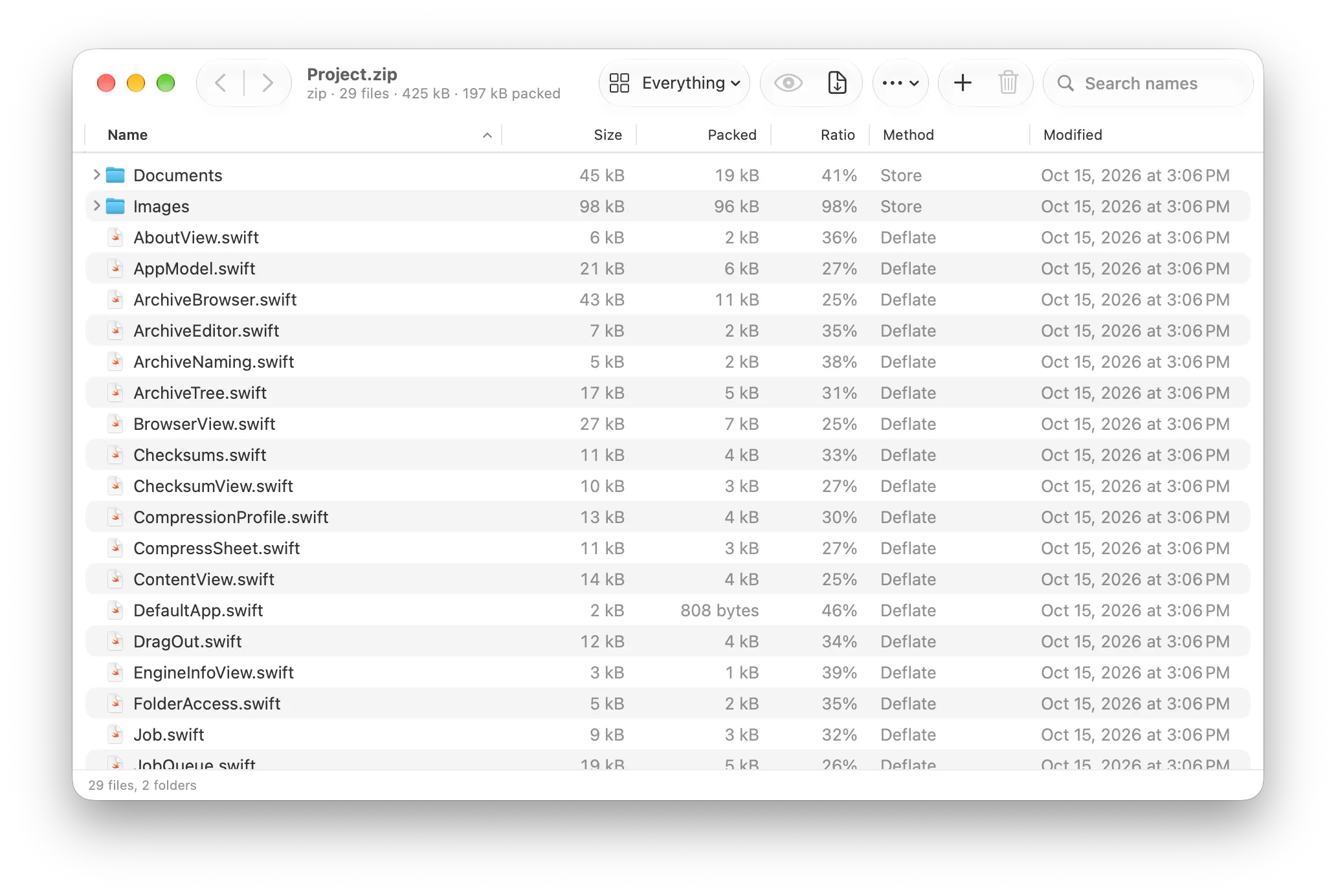
Browse the archive as a tree with size, compression ratio, method, CRC and attributes, plus sorting, search and filters. Nested archives like .tar.gz open as a single tree.
Create archives
7z, zip, tar, wim, gzip, bzip2 and xz. Saved compression profiles for format, level, dictionary, method, solid block and threads, with a memory estimate.
Edit in place
Add, delete and rename items inside an existing archive, with undo and redo.
Fits into macOS
A 7-Mac submenu in the Finder context menu, Services and Quick Actions, plus Quick Look previews and thumbnails for archives.
Integrity and security
A hash panel (SHA-256/512/3, MD5, BLAKE2sp, CRC32/64, xxh64) with checksum comparison, archive integrity tests and optional Keychain passwords. Fully sandboxed.
About 60 formats. One app to learn.
Build it in three commands.
Signed and notarized builds will land on the GitHub Releases page. Until then, build the app from source with Xcode.
# Xcode 26 or later
~ git clone https://github.com/Michediana/7-Mac.git
~ cd 7-Mac
~ open 7-Mac.xcodeproj   # build and run the "7-Mac" scheme

# check that the bundled engine works
~ Scripts/smoke-test.sh Release
~
Turn on the Finder menu
Enable it once in System Settings → General → Login Items & Extensions → Finder. 7-Mac's Settings → Finder shows whether it's on.
Auto-updates, eight languages
Releases update themselves through Sparkle. Dark mode and accessibility are supported, and the app is localized in:
The app's own code is MIT licensed. The 7-Zip engine is © Igor Pavlov, licensed under the GNU LGPL with the unRAR restriction, and is linked dynamically. 7-Mac is an independent project, not affiliated with or endorsed by the 7-Zip project.
Open source, from the first commit.
The source is on GitHub, full roadmap included. Issues, ideas and pull requests are welcome.